Why Google Ads Ate Your Budget and Your Phone Still Did Not Ring
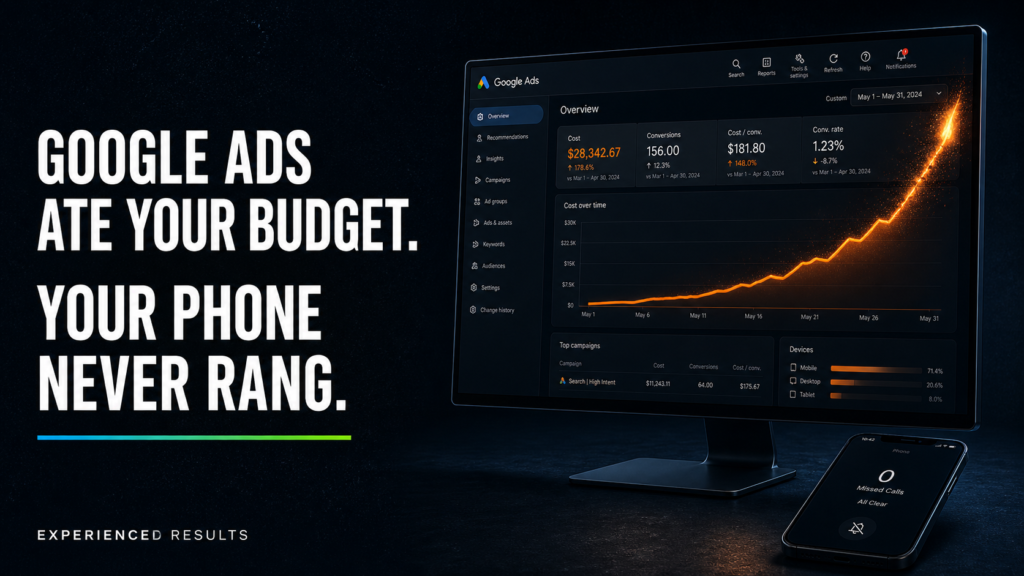
You set up a Google Ads campaign. Maybe you followed the guided setup. Maybe you handed your card to someone who said they knew what they were doing. Either way, you spent $500, $800, maybe over a thousand dollars, and you waited for the phone to ring.
If Google Ads ate your budget and your phone still didn’t ring, the problem isn’t the platform. It’s five specific, fixable mistakes in how your campaign was built.
It didn’t.
You checked the dashboard and saw clicks. Impressions. A graph that went up. Google even sent you a cheerful email telling you your campaign was “running successfully.” But when you looked at your actual call log, nothing changed. Same number of calls as the week before. Same slow Tuesday. Same silence.
So you did what most business owners do. You turned the campaign off and told yourself Google Ads don’t work.
Here’s the thing you need to understand about that conclusion: it’s wrong, but it’s also not your fault.
Google Ads work extremely well for certain types of businesses in certain configurations. The platform processes over 8.5 billion searches per day, and the businesses appearing at the top of those results are paying to be there. The ones who get consistent calls, form fills, and booked jobs from Google Ads aren’t smarter than you. They aren’t luckier. They’re running campaigns that were built correctly from the start.
Your campaign wasn’t built correctly. And the reason it failed isn’t mysterious. It’s mechanical. Google Ads ate your budget because of five specific mistakes that cause almost every failed small business campaign, and this article is going to walk you through each one so you can see exactly where your money went.
This is also a completely different problem from Facebook Ads not working. Facebook is an interruption platform. You’re putting your ad in front of people who weren’t looking for you. Google is an intent platform. People are actively typing what they need into a search bar. The mistakes are different, the mechanics are different, and the fixes are different. If you’ve already read our Facebook Ads article, don’t assume the same lessons apply here. They don’t.
Mistake #1: Your Targeting Is Too Broad (You’re Paying for Clicks From People 500 Miles Away)
Data from WordStream’s industry benchmarks shows that the average cost per click for home services is over $6, and average conversion rates hover around 3% to 5%, which means every wasted click is real money lost. This is the most expensive mistake a local service business can make with Google Ads, and it’s the one Google’s own setup process practically encourages.
When you create a Google Ads campaign, the platform asks you to set your geographic targeting. The default option is broad. It includes people who “show interest in” your targeted location, not just people who are physically located there. That means someone in Memphis who once searched for something related to the Mississippi Gulf Coast can see your ad. Someone in Atlanta who browsed a travel article about Biloxi can see your ad. Someone in Chicago, someone in Dallas, someone in any of 34 other states.
That’s not a hypothetical. One plumber running Google Ads discovered his campaign was generating clicks from 34 different states. He was a local plumber. He served a 30 mile radius. But because his geographic targeting was set to the default “Presence or interest” option instead of “Presence: people in or regularly in your targeted locations,” Google was happily spending his money on clicks from people who would never, under any circumstances, hire him.
When he restricted his targeting to a 30 mile radius using the “Presence” option only, his cost per acquisition dropped 61 percent. Same budget. Same ad copy. Same landing page. The only change was telling Google to stop showing the ad to people who couldn’t possibly become customers.
If you’re a pest control company in Gautier, you don’t need clicks from Jackson. If you’re a roofer in Biloxi, a click from someone in Nashville doesn’t put shingles on a roof. Every one of those out-of-area clicks costs you real money, and Google counts them as a delivered service. You paid for the click. Google fulfilled the impression. The fact that the person was 500 miles away isn’t Google’s problem under their billing model.
What to do about it: Log into your Google Ads account and check your campaign’s location targeting settings right now. Look for the option that reads “Presence or interest: People in, regularly in, or who’ve shown interest in your targeted locations.” Change it to “Presence: People in or regularly in your targeted locations.” Then go to your geographic performance report and look at where your clicks have been coming from. If you see clicks from cities or states you don’t serve, you’ve been paying for phantom traffic.
Mistake #2: You Have No Negative Keywords (So You’re Paying for Searches That Have Nothing to Do With Your Business)
Google Ads operates on a keyword matching system. You tell Google which search terms should trigger your ad, and Google shows your ad when someone searches for something that matches. The problem is that Google’s matching is generous. Too generous.
If you’re a landscaping company and you bid on the keyword “landscaping services,” Google might show your ad when someone searches “landscaping services jobs near me.” That person isn’t looking to hire a landscaper. They’re looking for employment. You pay for the click anyway.
A dental practice bidding on “dentist Gulfport” might trigger ads for “dentist Gulfport reviews,” “cheapest dentist Gulfport,” “dentist Gulfport free consultation,” or “dental school Gulfport.” Some of those searches represent real customers. Others represent price shoppers who will never book, people doing research with no intent to schedule, or students looking for educational programs. Without negative keywords, you’re paying for all of them equally.
Negative keywords are the terms you tell Google to exclude. They’re the searches you don’t want your ad to appear for. “Free,” “jobs,” “salary,” “DIY,” “cheap,” “training,” “school,” “how to become a,” and “reviews” are common negative keywords for service businesses because they indicate a searcher who isn’t looking to hire anyone.
Most small business owners don’t add a single negative keyword when they set up their campaigns. Google’s guided setup doesn’t emphasize them. The campaign starts running, Google starts matching broadly, and the budget gets split between people who might actually hire you and people who clicked your ad by accident or with zero purchase intent.
Over the life of a campaign, negative keyword neglect can waste 20 to 40 percent of your total ad spend. For a business spending $1,000 a month, that’s $200 to $400 per month going to searches that never had a chance of producing a customer. Over a year, that’s $2,400 to $4,800 in pure waste.
What to do about it: Go to your Google Ads search terms report. This report shows you the actual phrases people typed into Google before clicking your ad. Review the last 90 days. You’ll find searches that have nothing to do with your business. Add every irrelevant term as a negative keyword. Then build a starter negative keyword list based on your industry. Every service business should exclude terms like “jobs,” “salary,” “training,” “free,” “DIY,” and “how to become.” Review this report weekly for the first month and monthly after that. New irrelevant searches will always appear, and your negative keyword list should always be growing.
Mistake #3: Your Landing Page Is Your Homepage (And It’s Killing Your Conversion Rate)
Your ad worked. Someone in Pascagoula searched “AC repair near me,” saw your ad at the top of the results, and clicked. They had intent. They had a problem. They were ready to call someone.
Then they landed on your homepage.
Research from the Unbounce Conversion Benchmark Report found that dedicated landing pages convert at nearly double the rate of generic pages, which is exactly why sending paid traffic to a homepage is such a costly mistake. Your homepage has your company history, your full list of services, your team photos, a navigation menu with eight links, and a contact form at the bottom that requires scrolling past everything else to find. The person who clicked your ad for AC repair is now looking at a page about AC repair, plumbing, electrical, new construction, and commercial services. They don’t know where to go. They don’t see the specific service they searched for. They bounce.
This is the same mistake that kills Facebook ad campaigns, and it’s just as fatal on Google. But there’s an important difference. On Facebook, you’re interrupting someone’s scroll with an offer they weren’t looking for. On Google, you’re appearing in front of someone who is actively searching for what you do. The intent is already there. They already want to hire someone. When you waste that intent by dumping them on a generic homepage, the failure is even more costly because you had the highest quality traffic possible and lost it at the last step.
Landing pages built for a single service with a single call to action convert at 4 to 8 percent on average. Homepages convert at 1 to 2 percent. If your campaign drives 200 clicks per month, that’s the difference between 8 to 16 leads and 2 to 4 leads. Same ad spend, same traffic, dramatically different results.
The landing page doesn’t need to be fancy. It needs a headline that matches the search term and the ad copy. It needs three to five sentences about the specific service. It needs proof: reviews, photos of completed work, credentials, years in business. And it needs one prominent call to action, either a phone number or a short form. Nothing else belongs on the page. Every navigation link, every sidebar, every distraction is a door you’re opening for the visitor to walk through instead of picking up the phone.
What to do about it: Build a dedicated landing page for every service you’re running ads on. If you’re advertising AC repair, roofing, and plumbing as three separate campaigns, you need three separate landing pages. Each one should match the ad copy, address the specific service, and have a single conversion action. Remove the navigation menu from these pages. Remove the footer links. Remove everything that doesn’t directly serve the goal of converting that visitor into a phone call or form submission. For a detailed breakdown of the website problems that kill conversions on every traffic source, see our article on why your business isn’t showing up on Google and the role your website plays in search visibility.
Mistake #4: You’re Trusting Google’s “Smart” Defaults Without Guardrails
Google’s automated bidding strategies, Smart campaigns, and Performance Max campaigns are designed to do one thing very well: spend your money. Google positions these tools as simplifying campaign management for busy business owners. And they do simplify it. They simplify it by taking control away from you and giving it to an algorithm that’s optimized for Google’s revenue, not yours.
Smart campaigns give Google near-total control over which searches trigger your ads, where your ads appear, and how much you pay per click. You set a budget and let the machine run. For large national brands spending millions of dollars, these automated systems can work because the volume of data gives the algorithm enough signal to optimize effectively. For a local service business spending $500 to $2,000 per month, the volume is too low for the algorithm to learn efficiently, and the guardrails are too loose to prevent waste.
Performance Max campaigns, which Google has been pushing aggressively since 2023, spread your ads across Google Search, YouTube, Gmail, Google Maps, and the Display Network simultaneously. That sounds like comprehensive reach. In practice, it means your budget gets diluted across channels that perform at wildly different rates. Your search ads might produce real leads at $30 per conversion. Your display ads might produce phantom clicks at $2 each from websites you’ve never heard of. The blended cost per lead looks reasonable in the dashboard, but the actual quality of leads coming from display and YouTube is dramatically lower than search.
The fundamental conflict of interest is simple: Google makes money when you spend money. Their automated tools are designed to keep your budget running, not to question whether those clicks are producing real customers for your business. Google will never tell you that 40 percent of your budget is being wasted on display network placements. They’ll show you a dashboard full of impressions and clicks and tell you your campaign is performing.
What to do about it: If you’re currently running a Smart campaign, switch to a manual campaign in Google Ads. If you’re running Performance Max, review the placement reports to see where your ads actually appeared and how each channel is performing independently. For most local service businesses, a search-only campaign with manual or target CPA bidding gives you the most control over where your money goes. Set your bidding strategy to maximize conversions or target a specific cost per acquisition, not maximize clicks. Maximize clicks is the default, and it’s the default because it spends your budget fastest, not because it produces the most customers.
Mistake #5: You Have No Call Tracking (So You Don’t Even Know What’s Working)
According to HubSpot, businesses that track calls from ad campaigns are 2x more likely to report positive ROI from paid search. This is the mistake that makes all the other mistakes invisible.
If you don’t have call tracking set up on your Google Ads campaign, you have no way of knowing which keywords, which ads, and which landing pages are actually producing phone calls. You’re flying blind. The Google Ads dashboard shows you clicks, impressions, and cost per click. It doesn’t show you which of those clicks resulted in a phone call, which of those calls turned into a booked job, and which keywords are producing your most profitable customers.
Without call tracking, you can’t make any intelligent decisions about your campaign. You can’t cut the keywords that are burning money. You can’t double down on the keywords that are producing calls. You can’t test whether one ad copy generates more phone calls than another. You’re making decisions based on click data, and clicks don’t pay your bills. Phone calls pay your bills.
Call tracking works by assigning a unique phone number to your Google Ads campaign (or to individual keywords within the campaign) that forwards to your real business number. When someone calls that tracking number, the system records which ad they saw, which keyword triggered the ad, and whether the call lasted long enough to be a real conversation versus a hangup or wrong number. Google’s own call tracking (call extensions and call reporting) provides basic data. Third-party call tracking tools provide more detailed information, including call recordings, call scoring, and integration with your CRM.
The business owner who knows that the keyword “emergency plumber Biloxi” produces 12 calls per month at $28 each, while “plumbing repair near me” produces 3 calls at $67 each, can make decisions that double the return on the same ad spend. The business owner without call tracking can’t even tell you which of those keywords is running, let alone which one is profitable.
For a Gulf Coast service business spending $1,000 or more per month on Google Ads, not having call tracking is the equivalent of paying a sales team and never asking them which leads closed. You’re spending the money without any mechanism to measure what it’s producing.
What to do about it: Enable Google Ads call reporting as a minimum. Set up call extensions on your ads so people can call directly from the search results. Then, if your budget exceeds $1,000 per month, invest in a third-party call tracking platform that gives you keyword-level attribution, call recordings, and conversion tracking that ties directly back to your ad spend. The first contractor to respond to a lead wins 78 percent of the time, so knowing which keywords are producing calls and responding immediately is the difference between landing the job and losing it to whoever picked up the phone first.
The Local Service Ads Problem: Rising Costs, Declining Quality, and What to Do About It
If you’ve been running Google Local Service Ads (LSAs) instead of traditional Google Ads, you’ve experienced a different set of problems. And those problems have gotten significantly worse since 2023.
Local Service Ads were supposed to be the great equalizer. Google would verify your business, display you at the very top of search results with a “Google Guaranteed” or “Google Screened” badge, and charge you per lead instead of per click. You only paid when someone actually contacted you through the ad. It sounded perfect.
Then the economics changed.
LSA lead costs now run $65 to $95 per lead in competitive service categories. For a home services business on the Gulf Coast, that means paying $65 to $95 for every phone call or message that comes through the platform. Some of those leads are genuine customers with a real problem who are ready to book. Others are tire kickers, wrong numbers, spam, or people asking about services you don’t even offer.
And the quality problem is getting worse, not better. Sixty-seven percent of contractors using LSAs report that lead quality has declined compared to the first year or two of the program. The leads still come in, but a higher percentage of them are low-quality contacts that never convert to a job. You’re paying $65 to $95 per lead, and a growing share of those leads are garbage.
The cost trajectory tells the rest of the story. LSA costs have climbed approximately 40 percent in competitive markets since 2023. And in 2025, Google discontinued credits for “job type not serviced” and “geo not serviced” leads. That means if someone contacts you through LSA requesting a service you don’t offer or from a location you don’t serve, Google no longer refunds the lead cost automatically. You can still dispute individual leads, but the automatic credit system that used to catch the most obvious bad leads is gone.
The businesses that still win with LSAs are the ones that have optimized every factor within their control. Reviews are the single biggest lever. Your LSA positioning is directly determined by your review count and rating. Businesses with 50 or more reviews at 4.5 stars or above consistently appear in the top positions. Businesses with fewer reviews or lower ratings get pushed down, where they receive fewer leads at the same per-lead cost.
Response time is the other critical factor. The first contractor to respond to an LSA lead wins the job 78 percent of the time. If a lead comes in at 10 AM and you respond at 2 PM, you’ve almost certainly lost it to someone who responded in five minutes. LSAs reward speed. Every minute of delay is a percentage point off your close rate.
What to do about it: If you’re running LSAs, treat them as one channel in a multi-channel strategy, not your entire advertising plan. Invest heavily in your review generation system because your review count and rating determine your ad position more than any other factor. Set up instant notifications so you can respond to LSA leads within five minutes or less. Dispute every bad lead manually since the automatic credits are gone. Track your true cost per booked job, not just cost per lead, so you know whether the channel is actually profitable after accounting for the leads that don’t convert. And build a traditional Google Ads search campaign alongside your LSAs so you’re not dependent on a single platform whose economics are moving against you.
Google Ads Ate Your Budget, So What Does a Campaign That Actually Works Look Like?
Now you know the five mechanical failures behind why Google Ads ate your budget, and you understand why Local Service Ads aren’t the easy fix they used to be. Here’s what the other side of that equation looks like.
A properly built Google Ads campaign for a local service business starts with intent, and that’s the fundamental advantage Google has over every other advertising platform. Someone typing “roof repair Gulfport” into Google isn’t scrolling their feed hoping to be entertained. They have a leaking roof. They want someone to fix it. Right now.
Your job is to make sure your ad appears when that search happens, that the ad copy matches the urgency of the search, that the click goes to a page built to convert that specific searcher into a phone call, and that you pick up the phone when it rings.
A properly managed campaign uses tight geographic targeting that only shows ads to people within your actual service area. It uses a growing negative keyword list that prevents your budget from being wasted on irrelevant searches. It sends traffic to service-specific landing pages that match the search intent. It uses manual or target CPA bidding instead of Google’s spend-happy defaults. It tracks every call back to the keyword that produced it so you know exactly which parts of the campaign are generating revenue and which parts are burning money.
The result is a cost per lead that makes sense for your business. Not $95 for a lead that doesn’t answer when you call back. Not $30 for a click from someone in another state. A measurable cost per qualified lead from someone in your service area who searched for what you do and is ready to hire someone today.
That’s what Google Ads are supposed to produce. And that’s what they actually produce when the campaign is built by someone who understands the platform instead of someone who followed the guided setup and trusted the defaults.
The difference between a campaign where Google Ads ate your budget and a campaign that generates consistent revenue isn’t the platform. It’s the build. Every mistake in this article is fixable. But they don’t fix themselves, and Google’s setup wizard isn’t going to flag them for you, because every one of those mistakes makes Google more money.
If you’re spending money on Google Ads and not sure what you’re getting for it, take the Gulf Coast Business Growth Audit. It’s a free assessment that takes about 60 seconds, maps your lead-to-close process across five critical areas, and gives you a clear score showing where your advertising dollars are going and where they should be going instead. No phone call required. No pitch. Just a clear picture of what’s working, what’s broken, and what to fix first.
Frequently Asked Questions
The most common reasons Google Ads fail for small businesses are structural campaign problems, not platform problems. Geographic targeting set too broadly so you’re paying for clicks from people outside your service area, missing negative keywords so your ads trigger on irrelevant searches, sending traffic to your homepage instead of a dedicated landing page, trusting Google’s automated settings without adding guardrails, and not tracking which keywords actually produce phone calls. Each of these failures has a specific mechanical cause and a specific fix that doesn’t require scrapping the campaign and starting over.
Cost per click varies significantly by industry and location. For Gulf Coast service businesses, cost per click ranges from $3 to $15 depending on the service category and competition level. Google Local Service Ads charge per lead instead of per click, with lead costs running $65 to $95 in competitive categories. The monthly budget for a productive local campaign typically falls between $500 and $2,000, but the important metric is cost per qualified lead, not total spend. A campaign spending $1,000 that produces 20 qualified leads at $50 each is outperforming a campaign spending $500 that produces 2 leads at $250 each.
Google Ads (search campaigns) charge you per click. You bid on keywords, write ad copy, and send traffic to your website or landing page. You pay whether or not the person who clicked takes any action. Google Local Service Ads charge you per lead, meaning you pay only when someone calls or messages you through the ad. LSAs appear above traditional search ads and include a Google Guaranteed badge. The trade-off is control. Google Ads give you granular control over keywords, targeting, and landing pages. LSAs give you less control but handle the ad format and positioning automatically, with your review count and rating determining where you appear.
For local service businesses, Google Ads target people who are actively searching for your service right now, which makes them one of the highest-intent advertising channels available. The challenge isn’t whether the platform works. The challenge is whether the campaign is built correctly. A well-structured search campaign targeting your service area with proper negative keywords, dedicated landing pages, and call tracking typically produces a measurable return within the first 30 to 60 days. A poorly structured campaign with broad targeting and no tracking will burn through the budget without producing results, regardless of how much you spend.
High cost per lead almost always traces back to one or more of five problems: geographic targeting that’s too broad (paying for clicks from outside your service area), missing negative keywords (paying for irrelevant searches), poor landing page experience (traffic that clicks but doesn’t convert), reliance on automated bidding strategies that prioritize spending over efficiency, and lack of call tracking that prevents you from identifying which keywords are producing leads and which are wasting money. Fixing each of these problems individually lowers your cost per lead incrementally. Fixing all of them together often produces a 40 to 60 percent reduction in cost per qualified lead.
Google Ads and Facebook Ads serve fundamentally different purposes. Google Ads capture demand by showing your ad to people who are actively searching for your service right now. Facebook Ads generate demand by putting your offer in front of people who weren’t looking for you but match your customer profile. For immediate lead generation from high-intent searchers, Google Ads typically deliver faster results. For building awareness, retargeting, and staying in front of potential customers over time, Facebook Ads are more effective. Most successful local businesses use both platforms as part of a complete advertising strategy rather than choosing one over the other. For a detailed breakdown of Facebook-specific ad failures, read our article on why Facebook Ads aren’t working for your small business.

Stop Losing Leads
Every month without a system is a month you're paying for leads you'll never see.
Find out exactly what it's costing you. 60 seconds, zero obligation.