How to Build a Website That Passes an ADA Compliance Audit the First Time
According to accessibility lawsuit tracking data, there are over 4,000 ADA lawsuits filed against businesses every year over website accessibility. The first offense can carry fines up to $75,000 under federal ADA enforcement guidelines. And yet most business owners don’t even know their website is a liability until someone files a complaint. The good news is that an ADA compliance audit isn’t complicated when you know what the standards actually require. The challenge is that most web developers never learn them, and most business owners never think to ask.
What ADA and WCAG 2.1 AA Actually Mean for Your Website
The Americans with Disabilities Act was signed into law in 1990, long before the internet looked anything like it does today. But courts have consistently ruled that websites qualify as places of public accommodation, which means they’re subject to ADA requirements just like a physical storefront with a ramp and accessible parking.
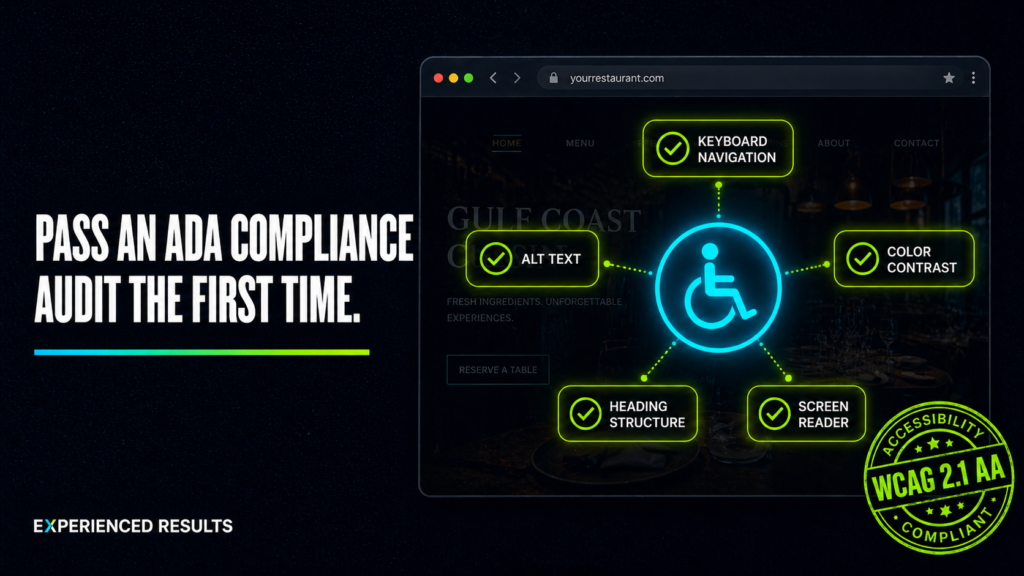
The Web Content Accessibility Guidelines, known as WCAG, are the technical standards that define what “accessible” actually means online. WCAG 2.1 Level AA is the benchmark most courts and regulatory bodies reference when evaluating compliance. It covers everything from how your text contrasts against your background to whether someone can navigate your entire site using only a keyboard.
Twenty six percent of adults in the United States have some type of disability. That’s roughly one in four people. Some are blind or have low vision. Some are deaf or hard of hearing. Some have motor impairments that make a mouse impossible to use. Some have cognitive disabilities that make cluttered layouts and confusing navigation genuinely disorienting. When your website fails to accommodate these users, you’re not just breaking a law. You’re turning away a quarter of the population before they ever see what you offer.
The Key Requirements You Need to Understand
WCAG 2.1 AA is organized around four principles. Content must be perceivable, operable, understandable, and robust. Those four words sound abstract, but they translate into very specific technical requirements that your website either meets or doesn’t.
Alt Text on Every Image
Every image on your website needs alternative text that describes what the image communicates. Screen readers use this text to tell visually impaired users what’s on the page. A photo of your team at a job site shouldn’t have alt text that says “IMG_4382.jpg” or just “image.” It should say something like “Three crew members installing a metal roof on a residential home in Biloxi.” The description should convey the same information a sighted visitor would get from looking at the photo.
Decorative images that don’t convey meaningful content should have empty alt attributes so screen readers skip them entirely. This prevents cluttering the audio experience with descriptions of background textures or design elements that add nothing to the user’s understanding.
Keyboard Navigation
Every interactive element on your website needs to be reachable and operable using only a keyboard. That means every link, every button, every form field, every dropdown menu, and every modal window. A user pressing the Tab key should move through your page in a logical order, and they should always be able to see exactly which element currently has focus.
This is where most websites fail catastrophically. Custom JavaScript menus, sliders, accordions, and popup windows are built for mouse clicks and never tested with a keyboard. The fix is straightforward, but it has to happen during development, not after.
Color Contrast
Normal body text needs a contrast ratio of at least 4.5:1 against its background. Large text, which WCAG defines as 18 point regular or 14 point bold, needs at least 3:1. Light gray text on a white background looks sleek in a design mockup, but it fails accessibility standards and makes your content unreadable for millions of people with low vision.
This requirement extends to buttons, links, form labels, placeholder text, error messages, and any other text element on the page. If someone with moderately impaired vision can’t read it comfortably, it doesn’t pass.
Heading Structure
Your page headings need to follow a logical hierarchy. One H1 per page as the main title, then H2s for major sections, H3s for subsections within those, and so on. Screen readers use this heading structure to let users jump between sections the way a sighted user scans a page visually. When headings are chosen based on how they look instead of what level they represent, the entire page becomes disorienting for assistive technology users.
Form Labels and Error Messages
Every form field needs a visible label that’s programmatically associated with the input. Placeholder text inside the field doesn’t count as a label because it disappears the moment someone starts typing. Error messages need to clearly identify which field has the problem and what the user needs to do to fix it. “Invalid input” tells nobody anything. “Please enter a valid email address” tells them exactly what went wrong.
Screen Reader Compatibility
Your website’s underlying HTML structure determines how screen readers interpret and present your content. Semantic HTML elements like nav, main, article, aside, header, and footer give screen readers the context they need to help users understand your page layout. ARIA labels and roles fill in the gaps where HTML alone doesn’t provide enough information, like telling a screen reader that a div styled as a button is actually a button.
What an ADA Compliance Audit Catches Before a Lawsuit Does
According to the WebAIM Million 2026 report, 95.9% of home pages had detectable WCAG 2 failures, averaging 56.1 errors per page. After running an ADA compliance audit on dozens of websites, clear patterns emerge. The same failures show up repeatedly, and they’re almost always the result of developers who never learned accessibility standards rather than intentional neglect.
Missing alt text is the single most common failure. It’s also one of the easiest to fix, which makes it especially frustrating when it shows up across an entire site. Many content management systems allow bulk editing of image attributes, so there’s no excuse for leaving hundreds of images unlabeled.
Low contrast text is the second most common issue. Designers love subtlety, and subtlety often means light text on light backgrounds or dark text on dark backgrounds that falls below the required contrast ratios. Every color combination on your site needs to be tested, not estimated.
Missing form labels account for a significant percentage of failures. Contact forms, quote request forms, newsletter signups, and login screens built without proper label associations are invisible to screen readers. The user hears “edit text” with no indication of what information they’re supposed to enter.
Keyboard traps are especially damaging. These happen when a user tabs into an element like a modal window or a video player and can’t tab back out. They’re stuck. The only escape is closing the browser entirely. This is a complete failure of the operable principle and it’s more common than most developers realize.
Auto playing media without controls violates multiple WCAG criteria. Videos or audio that start playing automatically with no way to pause, stop, or adjust the volume create immediate barriers for users with cognitive disabilities, seizure disorders, or screen reader software that gets drowned out by unexpected audio.
Tools That Power a Thorough ADA Compliance Audit
You don’t need to guess whether your website meets accessibility standards. Several tools exist that will scan your pages and identify specific failures with references to the WCAG criteria they violate.
WAVE, built by WebAIM, is a free browser extension that overlays accessibility errors directly on your page. It highlights missing alt text, contrast failures, empty links, missing form labels, and structural issues. It’s the fastest way to get a visual overview of your site’s accessibility status.
Google Lighthouse, built into Chrome DevTools, includes an accessibility audit that scores your pages and identifies specific elements that need attention. It’s not as detailed as WAVE for accessibility specifically, but it gives you a quick score and catches the most critical issues.
axe DevTools by Deque is the industry standard for professional accessibility testing. The free browser extension catches a wide range of issues, and the paid version adds guided manual testing workflows for the things automated tools can’t catch on their own.
Screen reader testing is something automated tools can’t replace. NVDA is a free screen reader for Windows. VoiceOver is built into every Mac and iPhone. Turn one on and try to navigate your website using only your keyboard and the audio output. You’ll discover problems in the first thirty seconds that no automated scan would catch.
Color contrast checkers like WebAIM’s Contrast Checker let you input any two colors and instantly see whether they meet the 4.5:1 or 3:1 thresholds. Use it before finalizing any design, not after the site is built.
Building Accessible from the Start vs. Retrofitting Later
This is where most business owners make the expensive mistake. They build the website first, launch it, operate it for months or years, and then discover they need to make it accessible. Retrofitting an existing website after a failed ADA compliance audit typically costs three to five times more than building it right from the beginning.
When accessibility is part of the development process from day one, it doesn’t add significant time or cost. Semantic HTML takes the same amount of time to write as non semantic HTML. Adding alt text during content creation takes seconds per image. Setting up proper heading structure is a decision made once in the template and applied everywhere automatically. Testing color contrast during the design phase prevents expensive redesigns later.
Retrofitting, on the other hand, means going back through every page, every image, every form, every interactive element, and every piece of content to identify and fix violations. On a site with hundreds of pages, this becomes a major project. And many fixes require structural changes to the underlying code, not just content updates.
Overlay widgets that promise to make your site compliant with a single line of JavaScript aren’t a solution. The National Federation of the Blind and multiple accessibility advocacy organizations have publicly opposed these tools. Courts have ruled that overlay widgets don’t constitute compliance. Several companies selling these products have been named as defendants in ADA lawsuits alongside the businesses that installed them.
A Practical Checklist for Getting It Right
If you’re building a new website or evaluating your current one, here’s what to prioritize in the order that matters most.
Start with your heading structure. Make sure every page has exactly one H1 and that all subsequent headings follow a logical hierarchy. This is the foundation that screen readers depend on for page navigation.
Audit every image on your site for meaningful alt text. Remove alt text from purely decorative images by setting the alt attribute to empty. Add descriptive alt text to every image that conveys information.
Test every color combination on your site against the WCAG contrast requirements. Fix anything that falls below 4.5:1 for normal text or 3:1 for large text.
Tab through your entire website using only the keyboard. Make sure you can reach every link, button, and form field. Make sure the focus indicator is visible at all times. Make sure you never get trapped in an element you can’t escape.
Label every form field with a visible, programmatically associated label. Replace any form that relies on placeholder text as its only label.
Add skip navigation links so keyboard users can bypass repetitive header and menu content and jump directly to the main content area.
Test with a screen reader. Even ten minutes with NVDA or VoiceOver will reveal issues that no automated tool catches.
Document your accessibility work. Publish an accessibility statement on your website that describes your commitment to accessibility, the standards you follow, and how users can report issues they encounter.
Frequently Asked Questions
Yes. The majority of ADA website lawsuits target small and mid sized businesses, not just large corporations. Plaintiffs’ attorneys actively look for websites with clear violations because the cases are straightforward to prove. The fact that your business is small doesn’t exempt you from ADA requirements, and it doesn’t protect you from legal action. It’s significantly cheaper to build your site right than to defend a lawsuit.
No. Overlay widgets have been publicly criticized by major accessibility organizations and haven’t held up as a compliance defense in court. They attempt to modify the front end experience without fixing the underlying code issues, and they often introduce new problems. The only reliable path to compliance is fixing the actual HTML, CSS, and content on your site.
Level A covers the absolute minimum requirements. Level AA adds additional criteria that address the most common barriers for users with disabilities. Level AAA is the highest standard and includes requirements that are difficult or impossible to meet for some types of content. Courts and regulations consistently reference Level AA as the expected standard. Aiming for AAA on everything isn’t realistic for most websites, but every site should meet AA.
You should run automated scans at least quarterly and conduct manual testing, including keyboard navigation and screen reader testing, at least twice a year. Any time you add new pages, new features, or new content types, test those additions before they go live. Accessibility isn’t a one time project. It’s an ongoing commitment that needs to be part of your regular website maintenance.
Directly and measurably. Search engines rely on the same structural elements that screen readers use. Proper heading hierarchies, descriptive alt text, semantic HTML, and logical page structure all contribute to how search engines understand and rank your content. A website that’s built for accessibility is inherently better structured for search visibility. When your site is accessible, it’s also more likely to be a website that actually works for every visitor who finds it.
Ask specifically about their experience with WCAG 2.1 AA compliance. Ask them to show you accessibility audit results from sites they’ve built. Ask whether they test with screen readers and keyboard navigation during development, not just after launch. A developer who treats accessibility as an afterthought will build you a site that needs expensive retrofitting. A developer who builds with accessibility from the start will deliver a site that’s compliant, better structured, and more usable for everyone.

Stop Losing Leads
Every month without a system is a month you're paying for leads you'll never see.
Find out exactly what it's costing you. 60 seconds, zero obligation.