How to Get 10 Google Reviews a Month Without Feeling Awkward About Asking
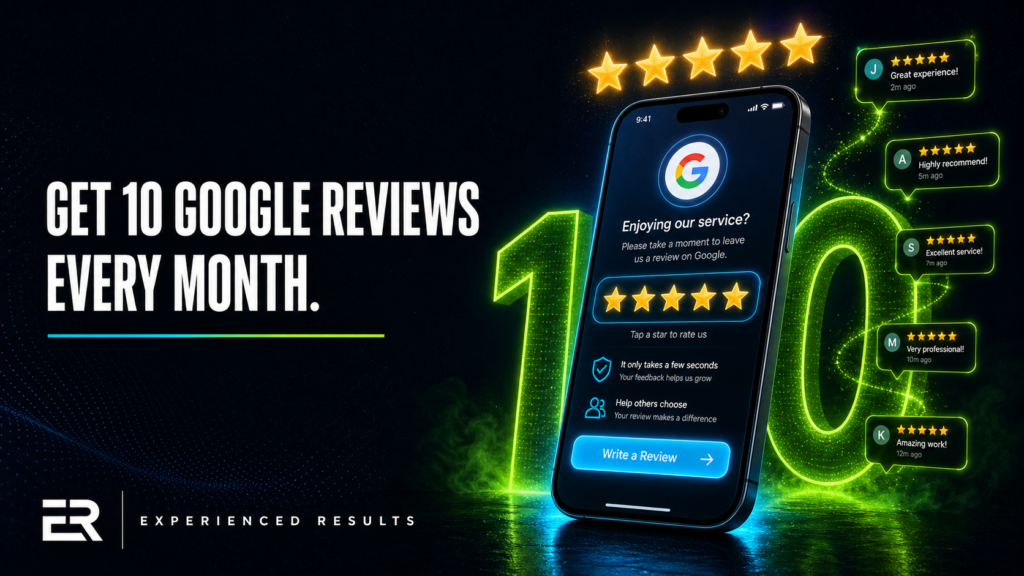
You know reviews matter. You’ve seen the competitor down the street with 200 reviews and a 4.9 rating pulling customers you should be getting. You’ve told yourself a dozen times you need to start asking. But every time you finish a job and the customer says “great work,” you smile, shake their hand, and drive away without ever bringing it up. It feels pushy. It feels awkward. It feels like begging. So you don’t ask, and your review count stays stuck in the same place it was six months ago. Here’s how to get 10 Google reviews a month without ever feeling like you’re selling something.
Why Reviews Aren’t Optional Anymore
Let’s get the numbers out of the way. According to BrightLocal’s 2026 Local Consumer Review Survey, 97% of consumers read online reviews before visiting a local business. BrightLocal’s research also found that 31% of consumers will only consider businesses with 4.5 stars or higher. And 73% only pay attention to reviews written in the last month. That last number is the one that should hit you the hardest.
It doesn’t matter that you’ve been doing great work in Biloxi for fifteen years. If your most recent Google review is from eight months ago, a potential customer in 2026 is looking at your profile and wondering if you’re still in business. Review recency matters as much as review quantity, and for some searches, it matters more.
Google uses reviews as a ranking signal in local search results. Businesses with more reviews, higher ratings, and consistent review velocity rank higher in the Map Pack (those three results that show up at the top of local searches with the map). If you’ve ever wondered why a competitor who’s been around half as long as you keeps showing up above your listing, check their Google Business Profile. Odds are they have more recent reviews.
Reviews are also a trust filter for the customer who’s already found you. They’ve searched, they’ve clicked, they’ve landed on your profile. Now they’re scanning your reviews to decide if you’re the one to call. If your competitor has 47 reviews from the last three months and you have 12 reviews from the last two years, they’re calling the other business. Not because you do worse work. Because the other business has more social proof.
The Best Moment to Ask for a Review
Timing is everything with review requests, and most business owners get the timing completely wrong. They wait too long. They follow up a week later with a generic email. By that point, the emotional peak of the experience is gone. The customer is on to other things. That email gets ignored or deleted.
The best moment to ask is immediately after a positive interaction, while the customer is still feeling the result of your work. For a contractor, that’s when the homeowner walks through the finished project and their face lights up. For a restaurant, that’s when the table asks for the check after a great meal. For an auto repair shop, that’s when the customer picks up their car and it’s running better than it has in months.
You’re looking for what I call the “gratitude window.” It’s the moment when the customer is most genuinely happy with what you’ve done for them. That window is usually about 30 minutes wide. After that, life takes over. The gratitude is still there, but the urgency to act on it fades fast.
For service businesses in Ocean Springs, Pascagoula, D’Iberville, and across the Gulf Coast, the gratitude window usually happens in person, right at the end of the job. That’s your moment. Don’t let it pass.
How to Ask Without Feeling Like a Salesperson
The reason asking for reviews feels awkward is because most people frame it as asking for a favor. “Would you mind leaving us a review?” puts you in a position of need and the customer in a position of obligation. That dynamic feels uncomfortable for everyone.
Flip it. Frame the review as helping other people, not helping you. Here’s a script that works every time:
“Hey, I’m really glad you’re happy with how this turned out. If you get a minute, it’d mean a lot if you left a quick Google review. Honestly, most of our customers find us through reviews, so it really helps other folks in [city name] know what to expect.”
That reframe changes everything. You’re not asking them to do something for you. You’re telling them that their experience can help someone else make a good decision. People are far more willing to help strangers than they’re to do favors for businesses. Use that.
The Text Message Method
The single most effective way to get Google reviews is a text message with a direct link, sent within one hour of the completed job. Not a link to your Google Business Profile. Not a link to your website. A direct link to the Google review form that opens with the star rating already visible and the cursor in the text box.
To get your direct review link, search for your business on Google, click “Write a review” on your own profile, and copy the URL from your browser’s address bar. That URL takes anyone who clicks it straight to the review form with zero extra steps.
Your text message should be short. “Hey [Name], thanks for choosing us today! If you have a minute, a quick Google review would really help other homeowners in [city] find reliable [service type]. Here’s the link: [direct review URL]. Thanks again!”
Keep it personal. Use their name. Mention the specific service or project. Don’t send it from a generic business number if you can avoid it. The more it feels like a personal message from the person who just did the work, the higher the response rate.
The QR Code Method
If you have a physical location where customers visit (restaurant, salon, auto shop, dental office), a QR code that links directly to your Google review form is one of the lowest-effort methods available. Print it on a small card, put it on the counter, put it on the receipt, put it on a sticker on the door. You can generate a free QR code at any number of sites by pasting in your direct review link.
Restaurants on the Coast are having great success with a small table card that says “Loved your meal? Scan here to tell Google.” It sits next to the check presenter. It doesn’t require any staff to bring it up. It’s just there, quietly converting happy diners into reviewers while they’re waiting for their card to come back.
The In-Person Script
For service businesses where the work is done at the customer’s home, the in-person ask is the gold standard. You’re standing there, they’re happy, and you’ve got a 30 second window. Here’s how to use it.
Step one: Acknowledge the result. “I’m glad we were able to get this taken care of for you.” Step two: Make the ask with the reframe. “If you get a minute today, a Google review would really help other folks in Gautier find us.” Step three: Eliminate the friction. “I’ll shoot you a text in a few minutes with the direct link so you don’t have to go searching for it.”
That last step is critical. If you ask in person but don’t follow up with the link, the conversion rate drops dramatically. Most people have every intention of leaving a review, but they get home, the kids need dinner, the dog needs walking, and they forget. The text message with the link removes the barrier between intention and action.
Responding to Every Single Review
Getting reviews is half the equation. Responding to them is the other half, and most Gulf Coast businesses neglect it entirely.
Respond to every review. Every one. Five stars, three stars, one star. Your responses aren’t just for the person who wrote the review. They’re for every future customer who’s reading your reviews to decide whether to call you. A business that responds to every review looks attentive, professional, and engaged. A business with 50 reviews and zero responses looks like they don’t care enough to say thank you.
For positive reviews, keep it simple. Thank them by name, mention the specific service if they did, and invite them back. “Thanks, Maria! We’re glad the kitchen renovation turned out exactly how you envisioned it. Don’t hesitate to call us next time you need anything.” Personal, specific, warm.
For negative reviews, take a breath before responding. Never respond defensively, never argue, and never try to win the argument publicly. A calm, professional response to a one-star review often impresses future customers more than the five-star reviews do. Acknowledge their experience, apologize that it didn’t meet expectations, and offer to make it right offline. “We’re sorry your experience didn’t meet the standard we hold ourselves to. We’d love the chance to make this right. Please call Mike directly at [number] so we can take care of this.” That response tells every future reader that you handle problems like a professional.
How to Get 10 Google Reviews a Month With Review Velocity
Here’s a concept most business owners don’t think about: review velocity. It’s not just how many reviews you have, it’s how fast you’re getting new ones. And Google pays attention to it.
Research from the Spiegel Research Center at Northwestern found that displaying reviews can increase conversion rates by up to 270%. A business with 200 total reviews but no new ones in three months sends a different signal than a business with 80 total reviews that’s gotten 10 in the last 30 days. The second business looks active, current, and consistently delivering results worth talking about. Google’s algorithm favors freshness, and so do customers.
This is why the goal isn’t “get a bunch of reviews and then stop.” The goal is a sustainable pace. If you want to get 10 Google reviews a month, that’s a realistic target for most Gulf Coast service businesses. Some months you’ll get more, some less, but if you’re consistently asking and consistently making it easy, ten a month is completely achievable.
Break it down. If you serve 40 customers a month and you ask all of them, a 25% response rate gives you 10 reviews. Most businesses don’t ask all their customers. They ask maybe a third of them, and they make it hard by not sending a direct link. Start asking everyone and start sending the link, and you’ll hit ten without having to change anything else about how you operate.
Automating the Process Without Losing the Personal Touch
Once you know the system works, the next step is making it run without you having to think about it every time. The key is automating the delivery while keeping the message personal.
The simplest automation is a text message that goes out automatically after every completed job. Most CRM platforms (GoHighLevel, Jobber, Housecall Pro, ServiceTitan) have built-in review request workflows. You mark a job as complete, and the system sends a text with the direct Google review link. The message is written once, personalized with the customer’s name and the service performed, and sent at the optimal time.
If you don’t use a CRM, you can set this up with something as simple as a Google Form that your team fills out after each job with the customer’s name and phone number. Connect that form to an automation tool like Make.com or Zapier, and have it send the text automatically. Total setup time is about 30 minutes, and it runs forever without you touching it again.
The important thing is that the automated message still sounds like you. Don’t send “Dear Valued Customer, your feedback is important to us.” Send “Hey Sarah, thanks for letting us take care of your driveway today. If you’ve got a sec, a Google review would really help other homeowners in D’Iberville find us. Here’s the link.” Same message you’d send manually, just delivered automatically. That’s how you get 10 Google reviews a month without adding a single task to your day.
If your current review situation is costing you business, automation is how you fix it permanently instead of relying on willpower to remember to ask after every single job.
The Mistakes That Make You Look Desperate or Dishonest
There are wrong ways to get reviews, and they can hurt you worse than having no reviews at all.
Never offer incentives for reviews. No discounts, no gift cards, no “leave a review and get 10% off your next service.” Google’s review policies explicitly prohibit incentivized reviews. If they catch you (and they’re getting better at detecting this), they can remove all your reviews and penalize your profile. Not worth it.
Never buy reviews. This should be obvious, but fake review services still exist and still pitch Gulf Coast businesses regularly. Google’s fraud detection is advanced enough to identify patterns in fake reviews (similar writing style, reviewer accounts with no history, bursts of reviews from accounts in different cities). When they catch it, and they usually do, the damage to your profile is severe and sometimes permanent.
Never review-gate. Review-gating is when you ask customers how their experience was first, and only direct the happy ones to leave a Google review while sending the unhappy ones to a private feedback form. Google specifically prohibits this practice. Every customer who wants to leave a review should be directed to the same place, regardless of how you think they’ll rate you.
Don’t ask the same customer more than once. One request is professional. Two is pushy. Three is the reason people don’t answer texts from businesses. Ask once, send the link, and let it go. If they leave a review, great. If they don’t, move on to the next happy customer. There will always be more.
If your online presence already looks amateur, stacking reviews on a profile that has wrong hours, no photos, and a blank description is putting a nice sign on a messy storefront. Clean up the profile first, then focus on reviews.
Frequently Asked Questions
Yes. In fact, you should. Selective asking (only asking customers you think will leave five stars) is a form of review-gating, which Google prohibits. Ask every customer the same way, send them the same link, and let them decide what to write. You’ll find that the vast majority of customers who take the time to leave a review are happy ones. The ones who aren’t happy usually just don’t respond. Asking consistently is the simplest path to get 10 Google reviews a month.
Search for your business on Google. Click the “Reviews” section of your Google Business Profile, then click “Write a review.” Copy the URL from your browser’s address bar. That’s your direct review link. You can also find it in your Google Business Profile Manager under “Get more reviews,” which generates a short link you can share via text, email, or QR code.
Respond professionally and invite them to resolve it offline. Never argue in the review response. If the review contains false information, you can flag it to Google for review using the “Flag as inappropriate” option on the review. Google will evaluate whether it violates their content policies. However, a review that simply reflects a customer’s negative experience (even if you disagree with their perspective) is unlikely to be removed. In those cases, your professional response is your best tool. Future customers reading that exchange will form their own opinion based on how you handled it.
Most reviews appear within a few minutes to a few hours. Occasionally, Google’s spam filters hold a review for up to a few days for verification, especially if the reviewer has a new Google account or if the review contains certain flagged language. If a customer tells you they left a review and you don’t see it after a week, it may have been caught by Google’s automated filters. The customer can check their own review history to confirm whether it was published.
Yes. Go back and respond to every unanswered review, starting with the most recent and working backward. Even if a review is a year old, a response shows future customers that you’re engaged and that you value feedback. Keep the responses genuine and don’t make excuses for the delayed reply. A simple “Thank you for this, [Name]. We appreciate you taking the time to share your experience” works even months later.

Stop Losing Leads
Every month without a system is a month you're paying for leads you'll never see.
Find out exactly what it's costing you. 60 seconds, zero obligation.