How to Write a Google Business Profile Description That Makes Customers Call You
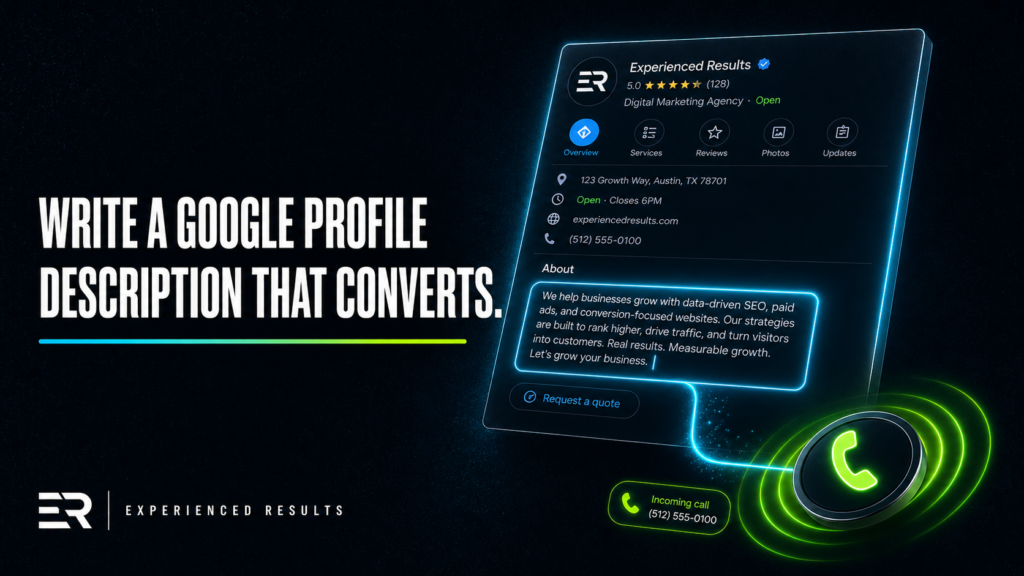
Your Google Business Profile description is 750 characters of prime real estate, and most Gulf Coast businesses waste every single one of them. They write something like “We’re a family-owned business dedicated to providing quality service” and wonder why nobody calls. That description tells a potential customer absolutely nothing about what you do, where you do it, or why they should pick you over the three other businesses Google just showed them. If you’ve ever Googled your own business and felt a little embarrassed reading your own profile, this is where you fix it.
What the Google Business Profile Description Actually Does
Let’s start with something most business owners don’t realize. Your Google Business Profile description doesn’t directly affect your ranking in search results. Google has said this outright. The description field isn’t a ranking signal the way your business category, reviews, or website content are.
So why does it matter?
Because it’s the first thing a potential customer reads after they find you. Your GBP description is a conversion tool, not a ranking tool. It’s the difference between someone tapping your phone number and someone scrolling past to the next result. Think of it as a 750 character sales pitch that runs 24 hours a day, seven days a week, without you ever having to be there. Data from BrightLocal shows that complete Google Business Profiles receive 7 times more clicks than incomplete ones, and the description is one of the key fields that signals completeness to both Google and potential customers.
When someone in Biloxi searches “roof repair near me” and your profile pops up, they’re scanning fast. They see your name, your rating, your hours, and your description. If your description says “Quality work at affordable prices,” you’ve told them nothing. If it says “Licensed roofing contractor serving Biloxi, Gulfport, and D’Iberville since 2011, specializing in storm damage repair, full roof replacements, and free on-site inspections,” you’ve told them everything they need to make a decision.
Why Most Descriptions Are Terrible
Pull up Google Maps right now and search for any service business in your area. Read five descriptions. Three of them will say some version of “family-owned” or “dedicated to customer satisfaction.” At least one will be completely blank. Maybe one will actually tell you what they do and where they do it.
There are three reasons most GBP descriptions fail.
First, they’re generic. “We pride ourselves on quality and customer service” could describe a plumber, a dentist, or a car wash. It communicates nothing specific about your business. Your description should make it impossible to confuse you with anyone else in your industry.
Second, they don’t mention a service area. If you’re a painter in Ocean Springs who also serves Gautier, Pascagoula, and Moss Point, those city names need to be in your description. A homeowner in Gautier searching for a painter is going to call the business that specifically mentions Gautier before they call the one that says “serving the Gulf Coast.” Be specific. Name your cities.
Third, they don’t include any keywords. Your description isn’t a ranking factor, but Google does bold matching keywords in the description when they appear in search results. That visual emphasis catches the eye. If someone searches “concrete coating Biloxi” and your description includes the phrase “concrete coating” and “Biloxi,” those words light up. That tiny detail makes your listing stand out from the three others that just say “quality service.”
The Formula That Actually Works
Every effective GBP description follows a simple three-part formula: what you do, where you do it, and why someone should choose you. This approach aligns with optimization best practices from Moz’s Local Search Ranking Factors study, which identifies business information completeness and relevance as critical conversion signals. That’s it. You don’t need to be clever. You don’t need to tell your life story. You need to answer three questions in 750 characters or less.
Part One: What You Do
Lead with your primary services. Not “we offer a wide range of services.” Specific services. If you’re an HVAC company, say “AC repair, heating installation, duct cleaning, and 24-hour emergency service.” If you’re a restaurant, say “scratch-made Southern cuisine, seafood platters, private event dining, and full-service catering.” The reader should know exactly what you do within the first two sentences.
Part Two: Where You Do It
Name your cities. All of them. If you serve Biloxi, Gulfport, Long Beach, Pass Christian, Bay St. Louis, and D’Iberville, list them. This isn’t just about the keyword bolding. It’s about trust. A homeowner in Pass Christian who sees their city named in your description immediately feels like you’re local, like you know their area, like you’ve been on their street before. That matters more than you think.
Part Three: Why You
This is where you differentiate. Maybe it’s your experience (“serving South Mississippi since 2008”). Maybe it’s a specific credential (“licensed, bonded, and insured with Mississippi Board of Contractors license #12345”). Maybe it’s your process (“free estimates within 24 hours, no service call fee, satisfaction guarantee on every job”). Whatever makes you different from the next listing, put it here.
Here’s what the formula looks like assembled for a fictional Gulf Coast business:
“Smith’s Plumbing provides residential and commercial plumbing repair, water heater installation, drain cleaning, and sewer line replacement across Gulfport, Biloxi, Long Beach, D’Iberville, and Ocean Springs. Licensed and insured since 2009 with over 400 five-star Google reviews. Same-day emergency service available. Free estimates on all jobs over $200. Call us and talk to a real person, not a phone tree.”
That’s 438 characters. Clear, specific, loaded with service terms and city names, and it ends with a human touch that separates you from corporate competitors.
Character Limits and Placement Strategy
Google gives you exactly 750 characters for your business description. Not words, characters. That includes spaces and punctuation. According to Moz, while the description field itself is not a direct ranking factor, Google bolds keyword matches in the description which significantly increases visual prominence and click through rates. Most business owners either write three sentences and quit or try to stuff a full essay in there and run out of room mid-thought.
Here’s how to use those 750 characters wisely.
Put your most important information first. The first 150 characters or so are the most visible because they often appear in preview snippets before the user taps to expand. Lead with your core service and your primary city. Don’t open with “Welcome to” or “At Smith’s Plumbing, we believe.” Open with what you do.
Use every character you can without padding. If you hit 600 characters and you’ve covered everything, don’t add filler to reach 750. But if you have room left, add another service, another city, or another trust signal. Every character that sits unused is a missed opportunity to tell someone why you’re worth calling.
Avoid special characters, all caps, or promotional language. Google specifically prohibits using the description for promotions, sales, or special offers. They will flag your profile and can remove the description entirely. Stick to factual information about your business.
Common Mistakes That Cost You Calls
Beyond the generic descriptions, there are specific mistakes that actively hurt your profile’s effectiveness.
Putting your hours in the description. Google already has a dedicated hours field. Using description space to list your hours wastes characters you could use for keywords and service areas.
Linking to your website. Google doesn’t allow URLs in the description, and they’ll reject the edit if you try. Your website link already lives in the dedicated field on your profile.
Writing it like a sales pitch. “Best plumber in Biloxi!” isn’t a description, it’s a claim with no evidence. Stick to what you do, where, and why. Let your reviews handle the “best” claims.
Copying your website’s About page. Your GBP description and your website About page serve different purposes. Your website has unlimited space to tell your story. Your GBP has 750 characters to convert a searcher into a caller. Treat them differently.
Forgetting to update it. If you added a new service six months ago, if you expanded to a new city, if you earned a new certification, your description should reflect that. Set a calendar reminder to review it quarterly. It takes five minutes and it keeps your profile current.
Real Examples for Gulf Coast Businesses
Let’s look at descriptions that would work for actual Gulf Coast service businesses.
Auto Repair Shop
“Full-service auto repair in Pascagoula serving Jackson County since 2012. Brake repair, engine diagnostics, oil changes, transmission service, and AC repair for all makes and models. ASE-certified mechanics. Same-day appointments available most days. Free loaner vehicles on repairs over $500. Proudly serving Pascagoula, Gautier, Moss Point, and Ocean Springs.”
Landscaping Company
“Professional lawn care, landscape design, irrigation installation, and seasonal cleanup across the Mississippi Gulf Coast. Serving residential and commercial properties in Gulfport, Biloxi, D’Iberville, Long Beach, and Pass Christian. Licensed and insured. Weekly maintenance plans starting at $150/month. Free consultations for new landscape projects.”
Restaurant
“Scratch-made Gulf Coast seafood and Southern comfort food in downtown Ocean Springs. Lunch and dinner daily, weekend brunch, full bar, private dining for groups up to 40. Locally sourced oysters, shrimp, and seasonal fish. Voted Best Seafood in Jackson County 2024 and 2025. Dine in, take out, or full-service catering for your next event.”
Notice the pattern. Every one leads with services, names specific cities or a specific location, and ends with something that builds trust or differentiates. No fluff, no filler, no “we pride ourselves.”
How to Actually Update Your Description
If you’ve never touched your GBP description, or if you wrote it four years ago and forgot about it, here’s how to fix it right now.
Go to Google and search your business name. If you’re signed into the Google account that manages your profile, you’ll see an option to edit your profile directly from the search results. Click “Edit profile,” then “Business information,” then scroll to “Description.” Paste in your new description and save.
If you manage your profile through Google Business Profile Manager, sign in at business.google.com, select your business, and navigate to the “Info” tab. The description field is there.
Changes usually go live within a few hours, though Google sometimes reviews edits before publishing. If your edit gets rejected, check for prohibited content like URLs, phone numbers in the description, or promotional language.
Once you’ve updated it, take two more minutes to check the rest of your profile. Make sure your categories, hours, and photos are current. A great description on a profile with wrong hours and no photos in the last six months still looks abandoned.
If your business isn’t showing up on Google at all, the description alone won’t fix that. But once you do get your profile ranking, a strong description is what turns visibility into actual phone calls.
Frequently Asked Questions
Not directly. Google has confirmed that the description field isn’t a ranking signal. However, keywords in your description get bolded when they match a user’s search, which makes your listing more visually prominent and increases the chances someone clicks on your profile over a competitor’s. The description is a conversion tool, not a ranking tool.
Use as much of the 750 character limit as you can without adding filler. Most effective descriptions land between 500 and 700 characters. Front-load your most important services and your primary city in the first 150 characters since those are most likely to appear in preview snippets.
No. Google prohibits URLs and phone numbers in the description field and will reject your edit if you include them. Your phone number and website already have dedicated fields on your profile. Use the description space for services, cities, and trust signals instead.
Review it at least once a quarter. Update it whenever you add a new service, expand to a new city, earn a certification, or hit a milestone like a review count. A description that references services you no longer offer or omits cities you now serve is working against you.
You shouldn’t. Each location should have a unique description that mentions the specific city and surrounding service areas for that location. A business with locations in Biloxi and Hattiesburg serves different markets. Each description should reflect the specific community that location serves, the services most requested there, and the trust signals most relevant to that area.

Stop Losing Leads
Every month without a system is a month you're paying for leads you'll never see.
Find out exactly what it's costing you. 60 seconds, zero obligation.